Flush-mount Emergency Terminal
TE2A / TE1A Instruction Manual
Read before installation or use
TopRead Before Installing or Using This Device
This device has been designed for integration into professional access control systems in residential, commercial, or industrial buildings. It must only be installed and handled by qualified technical personnel, in accordance with the manufacturer's specifications. Improper use, unauthorised handling, or incorrect installation may cause serious harm to persons or property, and will void both the warranty and the manufacturer's liability.
Electrical Safety
Before connecting, disconnecting, or intervening with the device, ensure the power supply is completely switched off. Although this product operates at low voltage (e.g. 12–24 VDC), improper handling can cause short circuits, door damage, overheating, or risk of electric shock.
Intended Use and Compatibility
This device is suitable for wooden, metal, or aluminium doors, depending on the model. Certain models are certified for use on fire doors and emergency exits. Always verify the specific certifications and compatibility before installation. Use in environments exposed to water, heavy dust, or aggressive chemical agents is not recommended unless the device is properly certified (e.g. IP65, IP68 etc.).
Maintenance and Use
Do not open, modify, or tamper with the interior of the device. Any unauthorised intervention will automatically void the warranty. Cleaning should be carried out using soft cloths and non-abrasive products. Periodic maintenance by a qualified technician is recommended, particularly in high-usage environments.
Limited Warranty
This product is covered by a commercial warranty against manufacturing defects for the period specified by Openers & Closers. The warranty does not cover normal wear and tear, incorrect installation, tampering, mechanical impacts, or unsuitable environmental conditions. Openers & Closers shall not be held liable for indirect damage, financial loss, or harm resulting from improper or non-compliant use.
Regulations and Compliance
This product complies, where applicable, with relevant regulations in each market (e.g. CE, RoHS, WEEE, UL 294, NFPA-80, EN 14846). Refer to the product labelling and technical documentation to confirm specific certifications.
Disposal and Recycling
This device contains electronic components and must not be disposed of with household waste. It must be taken to an authorised collection point for electrical and electronic equipment (WEEE). The crossed-out wheeled bin symbol indicates this legal requirement. The packaging is recyclable and should be disposed of in accordance with local regulations.
Intellectual Property and Documentation
The content of this manual, as well as the technology integrated into the product, is protected by intellectual and industrial property rights. Its reproduction, distribution, translation, or modification is prohibited without the express authorisation of Openers & Closers.
Description
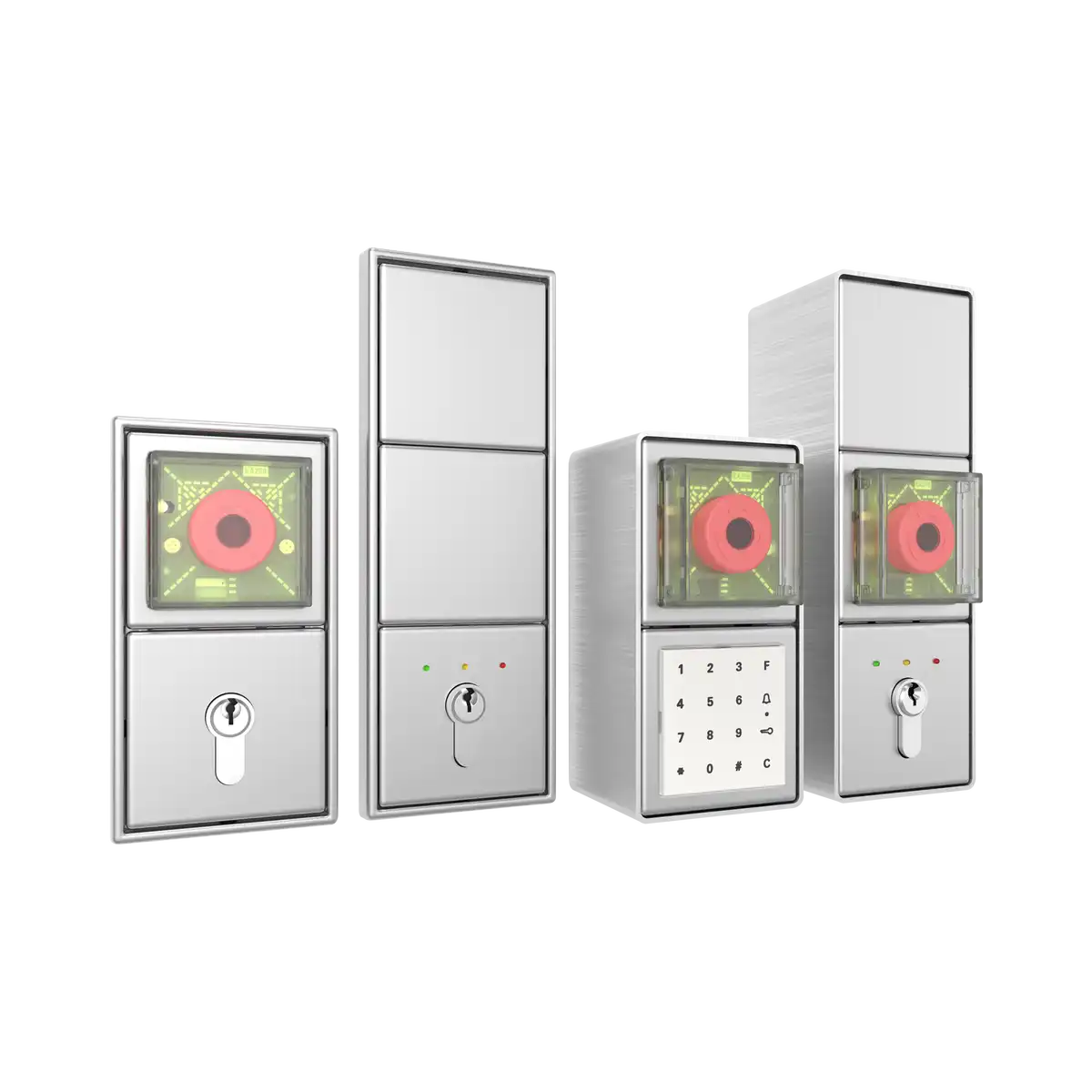
Top- The TE Series (FTNT20) is an escape door control unit with an integrated emergency button.
- Depending on how the unit is configured, Door contacts, Motorized locks, Signal transmitters, Security alarms, and Door controls can be connected through programmable inputs and outputs.
- The TE Series (FTNT20) is also equipped with an input for activation from a central system.
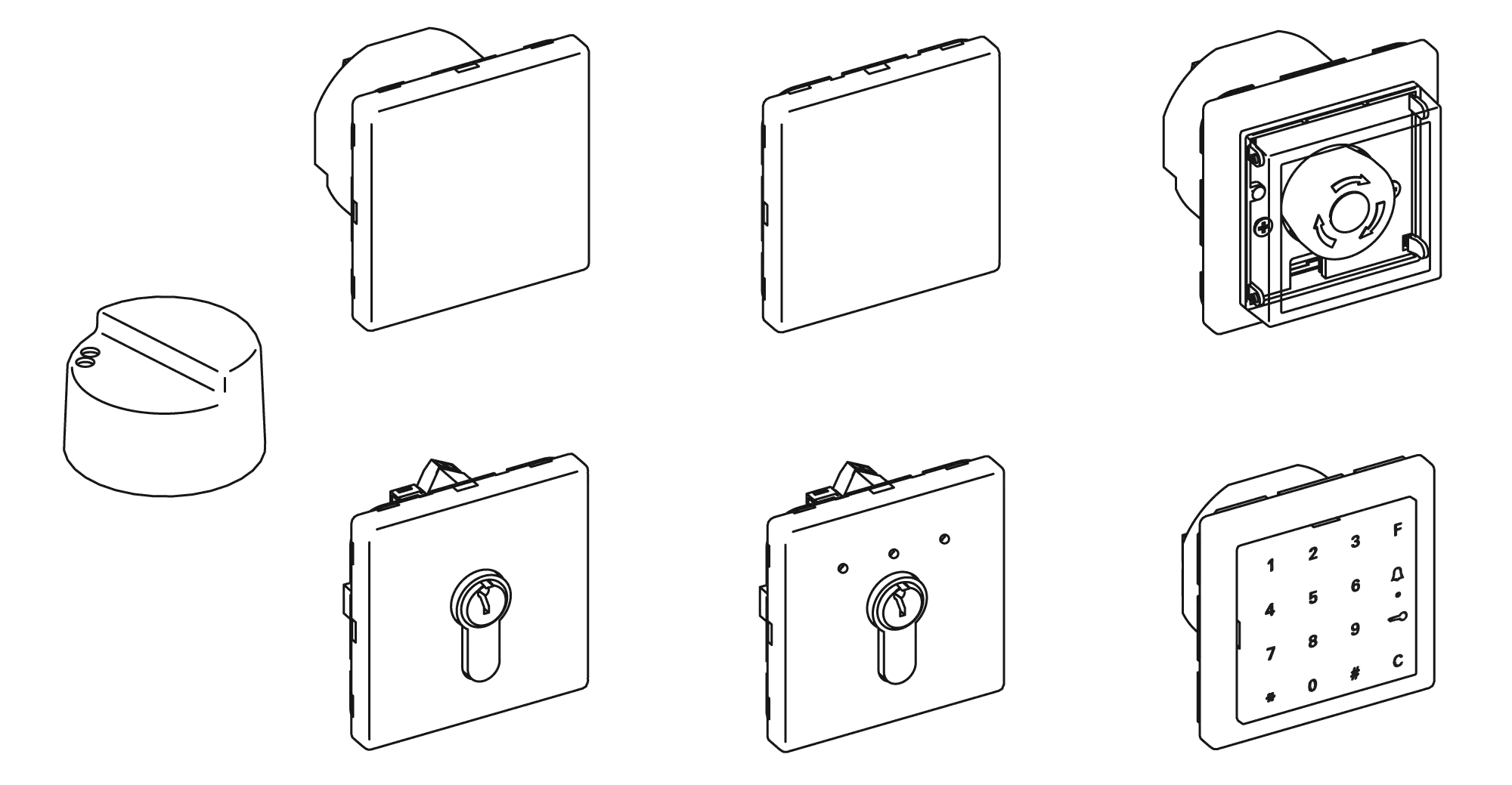
- The spring-loaded key switch ST10 (without indicator LED) or ST20 (with indicator LED) is used as the control unit.
- The escape door control system can be used as a standalone system or integrated into an online system.
- Control parameters and events (alarms, etc.) are programmed using the CF10 configuration software, both online and offline.
Technical Data
Top| Specification | Value |
|---|---|
| Operating Temperature | -20°C ... +55°C |
| Operating Voltage | DC 24 V (-15% / +10%) |
| Operating Current | 80 mA |
| Relay Contact | 1 A at DC 30 V |
| Maximum Output Current | 1 A |
| IP | IP 20 |
| Controller Protection | 0.3 A Polyfuse |
| Output Protection | 1.0 A Polyfuse |
| Dimensions | Diameter 55 mm, depth 45 mm |
| Maximum Distance to Door | 20 m |
Dimensions
Top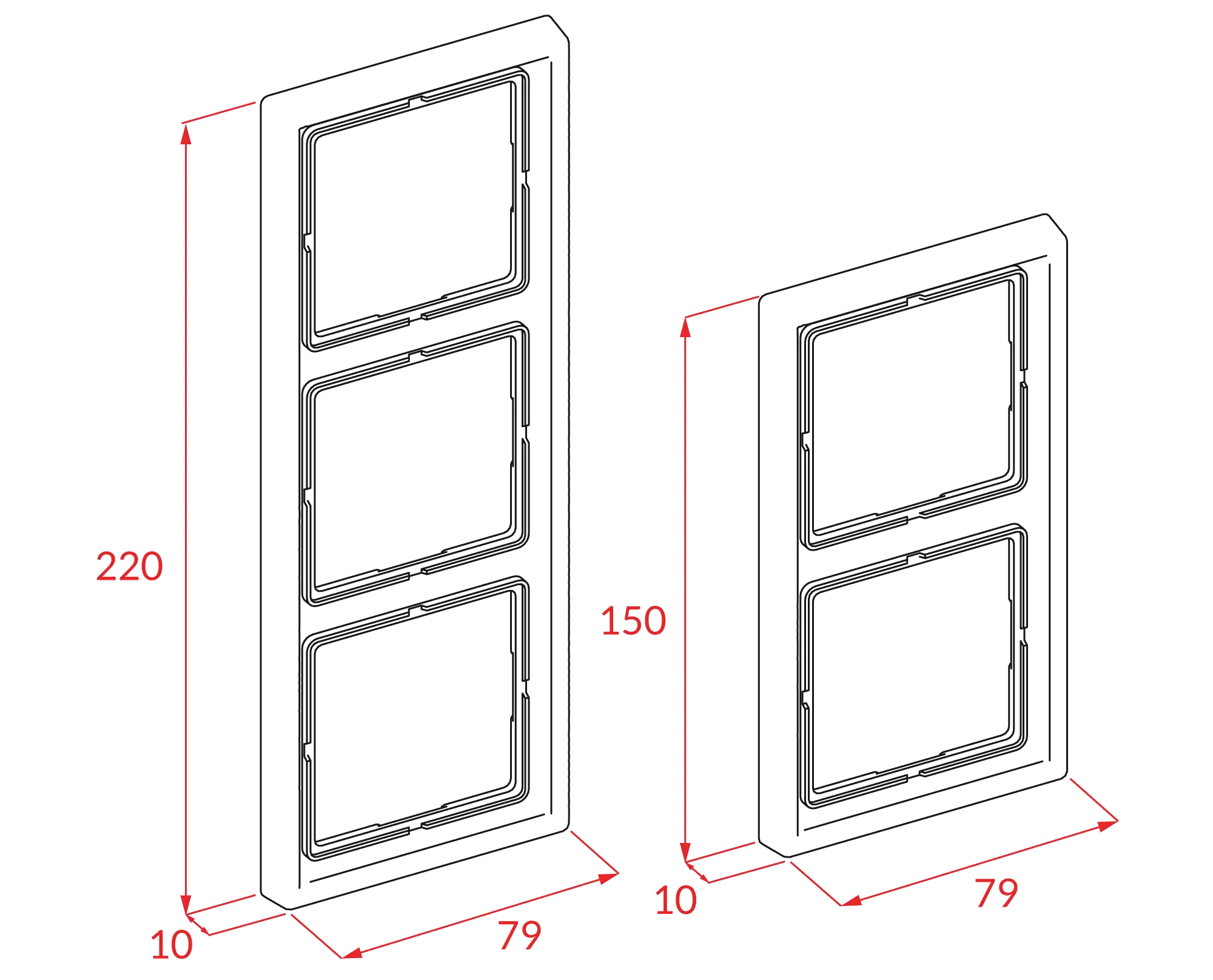
Installation
Top| Measurement | Value |
|---|---|
| Height above the floor | 850 mm - 1200 mm |
| Height of the push button above the floor | 1050 mm |
| Maximum wiring length | 20 m |
| Flush-mount depth | 61 mm |
| Maximum interconnected terminals | 60 |
Wiring
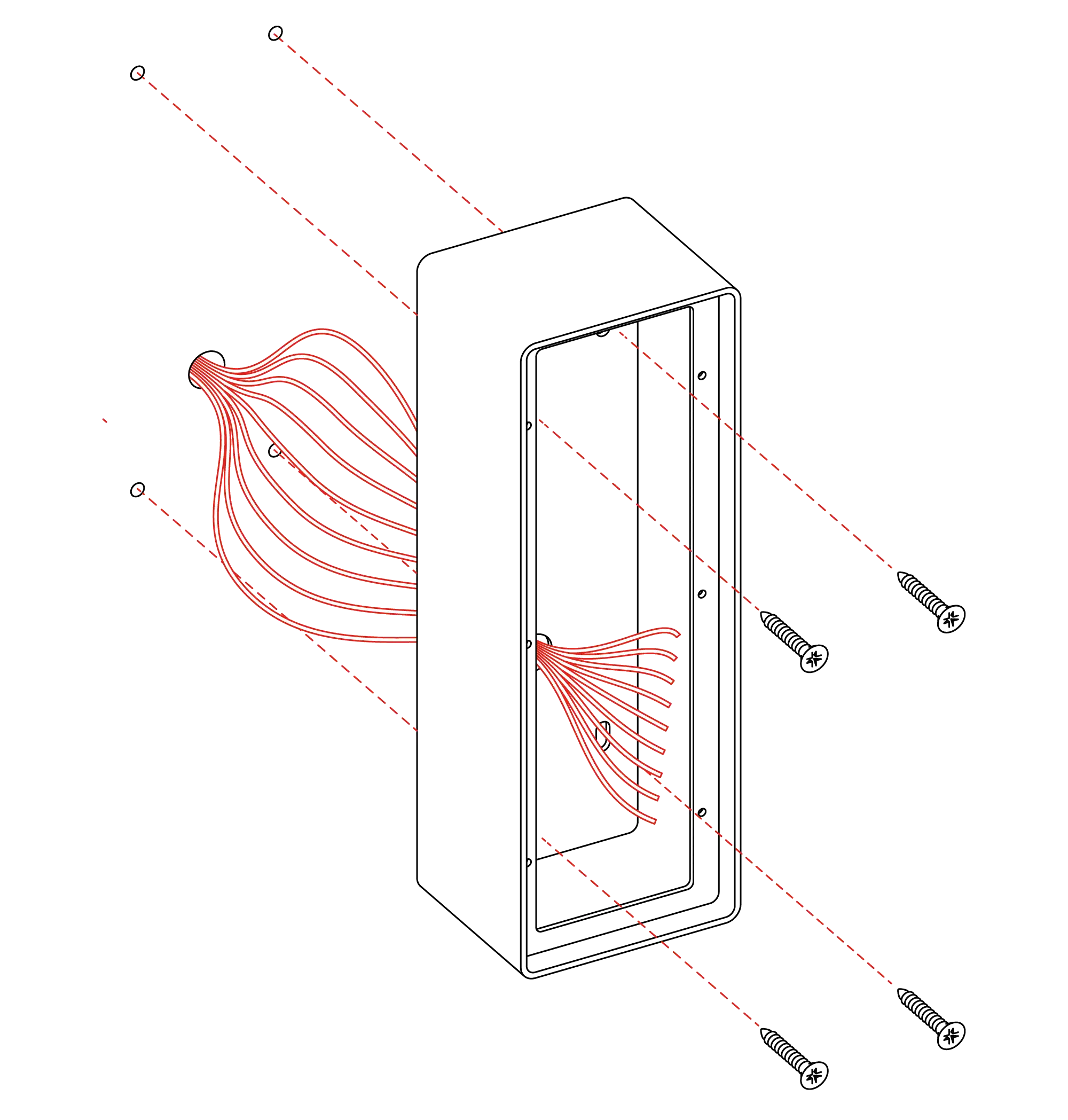
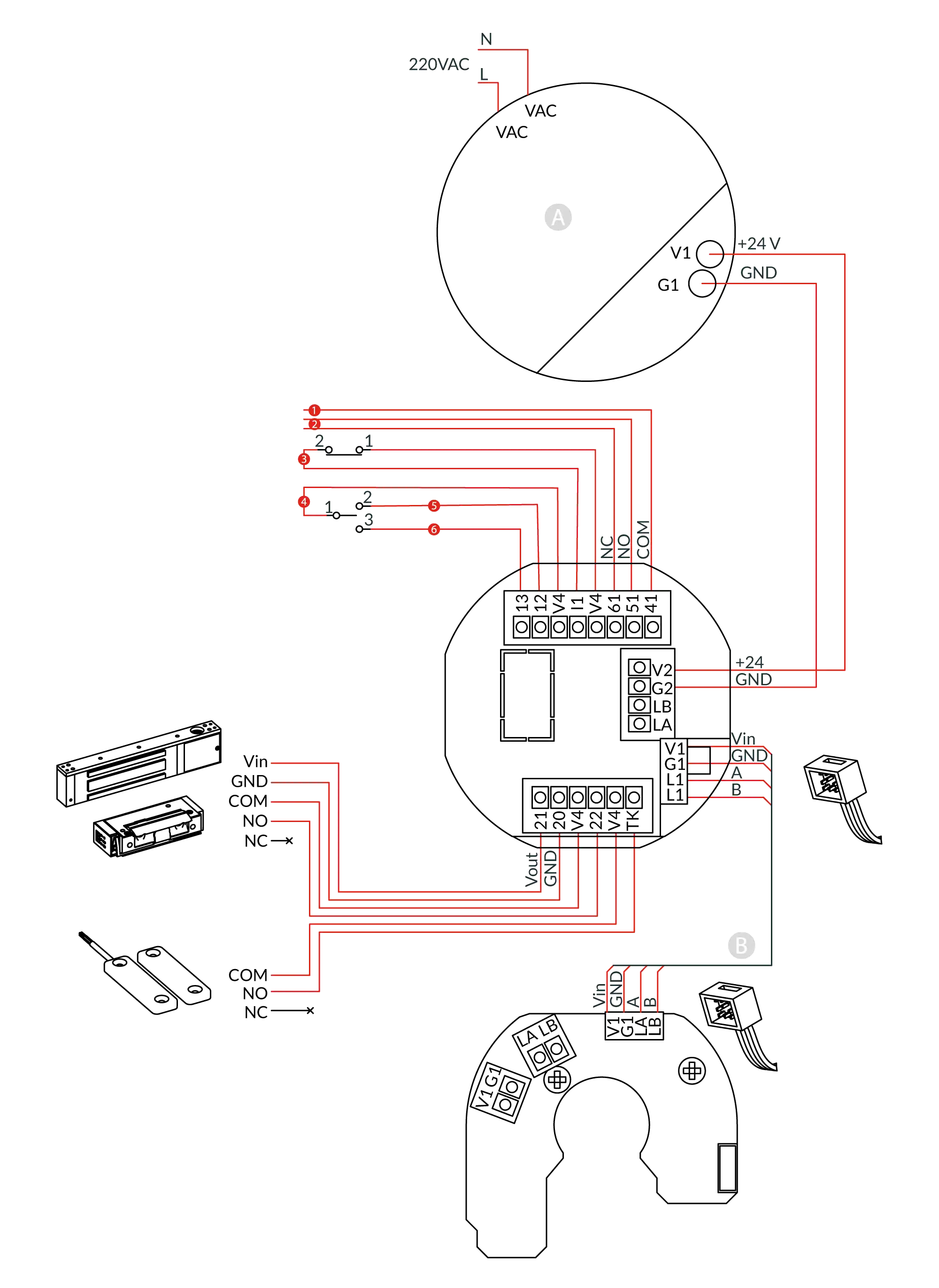
Top- If a door contact (terminals V4 - TK) is not connected, a jumper must be installed. If Input 1 is used, the jumper (V4-I1) must be removed. Use Input 2 for momentary unlocking, for example via access control or a release button (terminals V4 - I2).
- Use Input 2 for momentary unlocking, for example via access control or the release button (terminals V4 - I2).
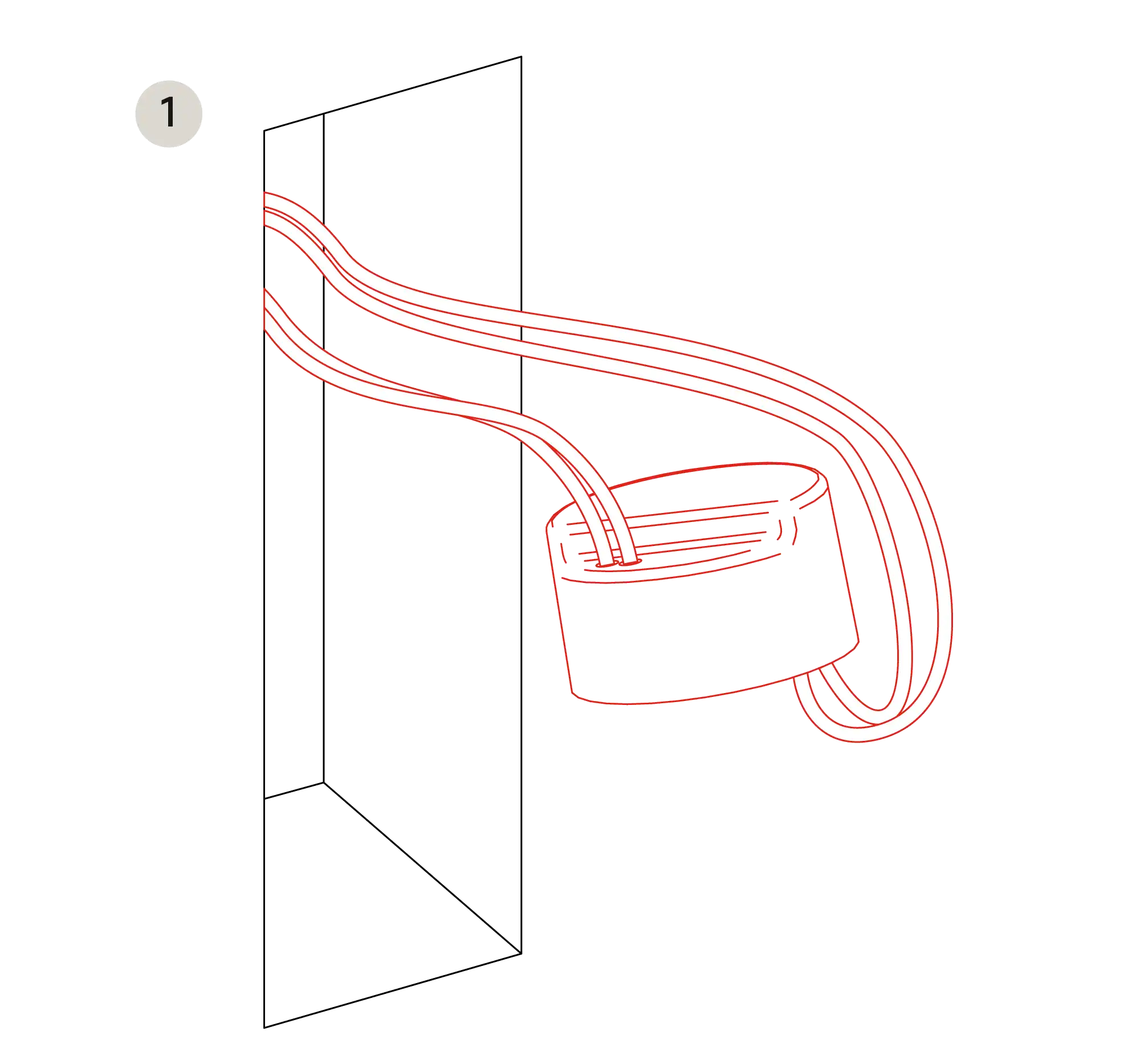
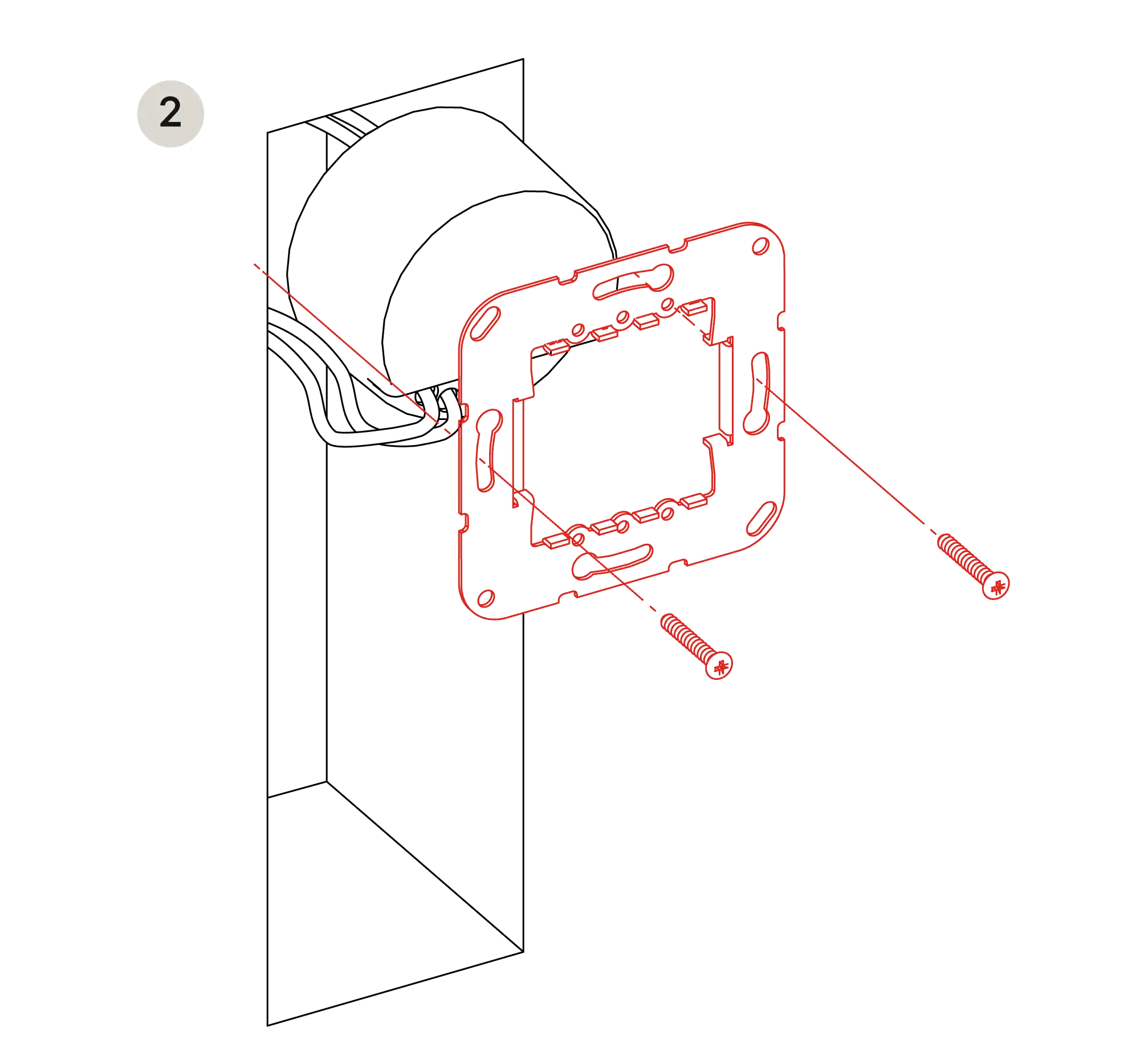
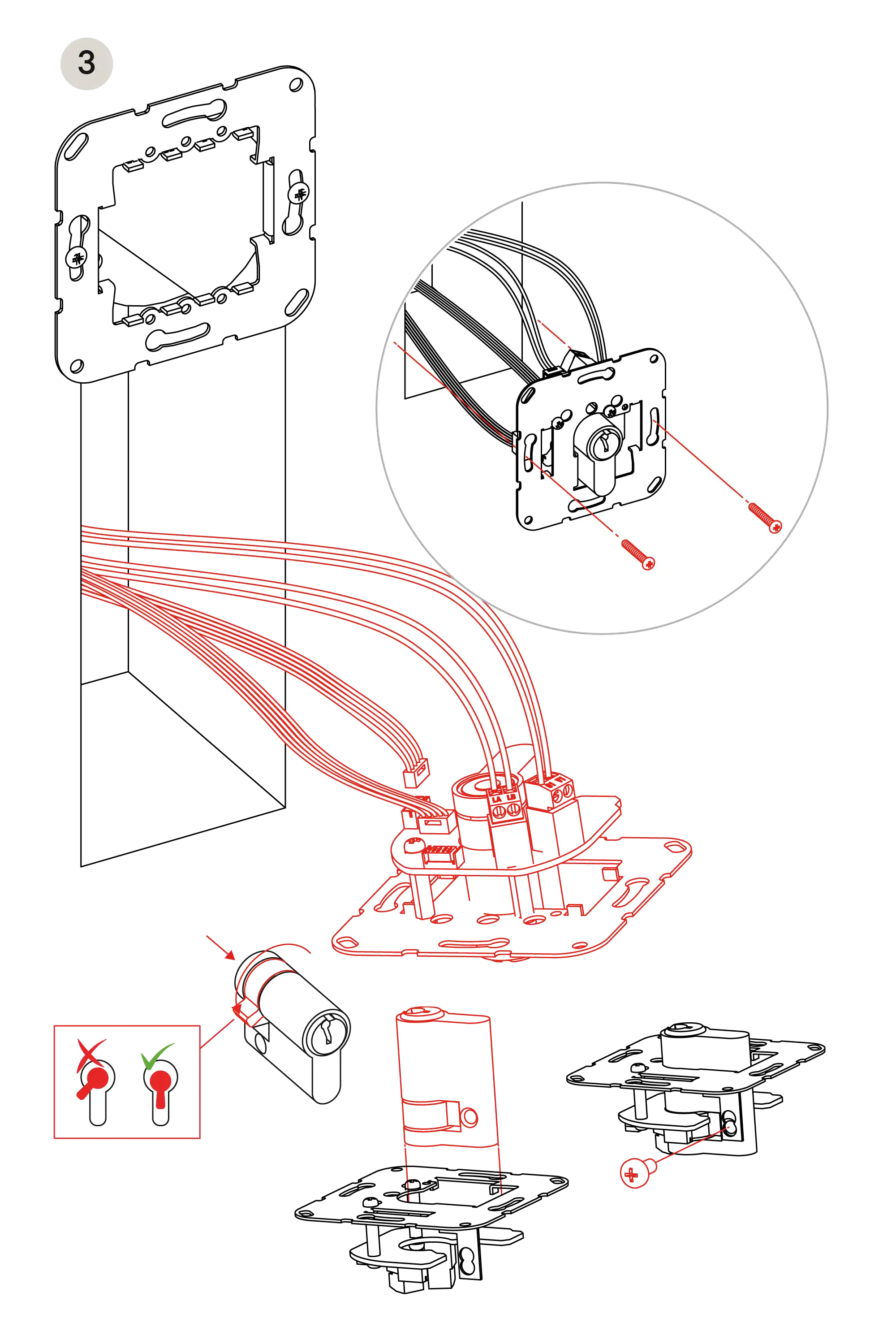
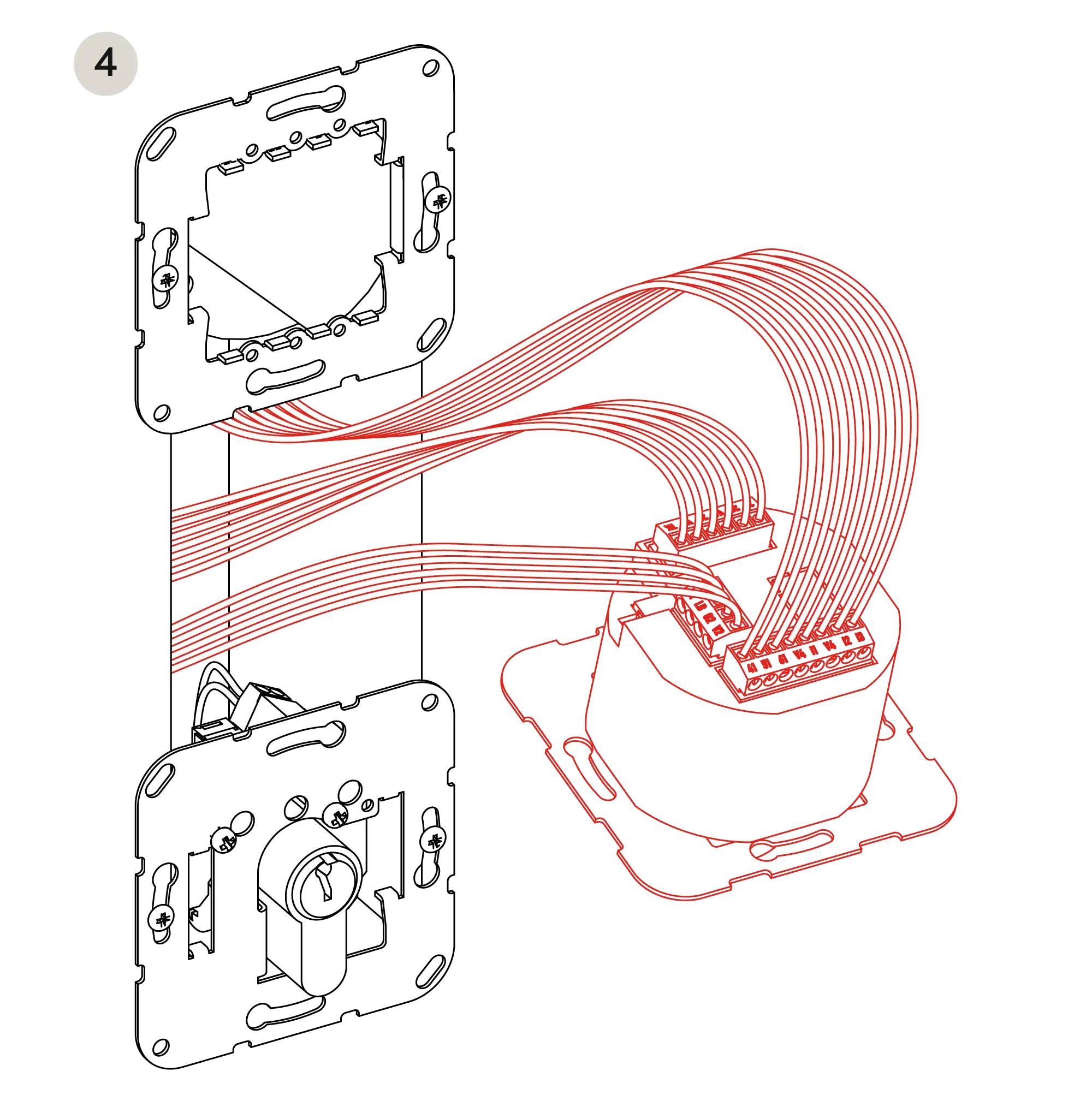
Wiring diagram
Top- APower supply
- BDoor bus
- 1Terminal status
- 2Configurable signal
- 3Emergency unlocking (fire alarm panel)
- 4External key switch
- 5Unlocking
- 6Locking
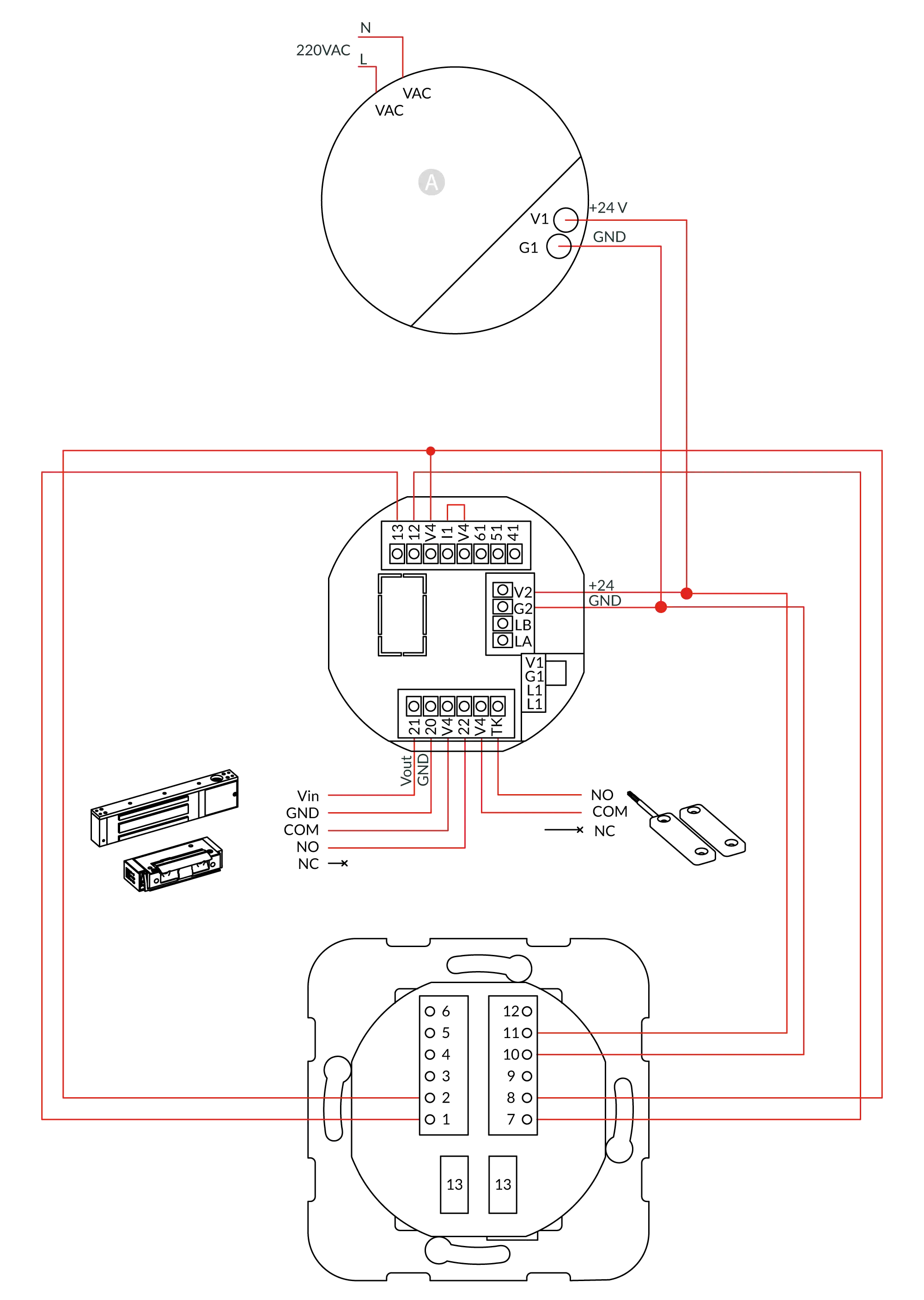
Wiring diagram (with keypad)
Top- APower supply
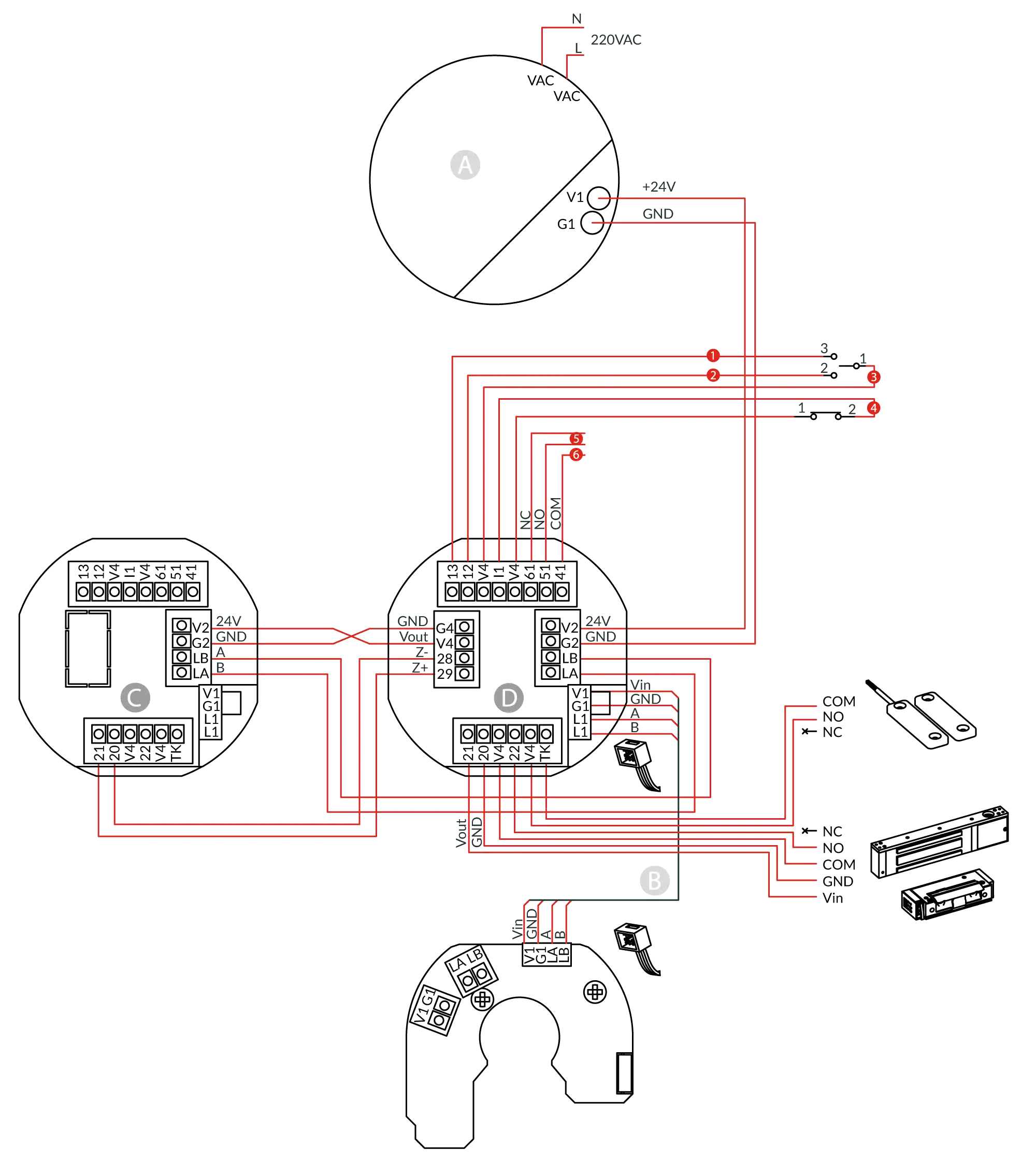
Connection of a door with a second emergency button
Top- APower supply
- BDoor bus
- CSlave
- DMaster
- 1Locking
- 2Unlocking
- 3External key switch
- 4Emergency unlocking (fire alarm panel)
- 5Terminal status
- 6Configurable signal
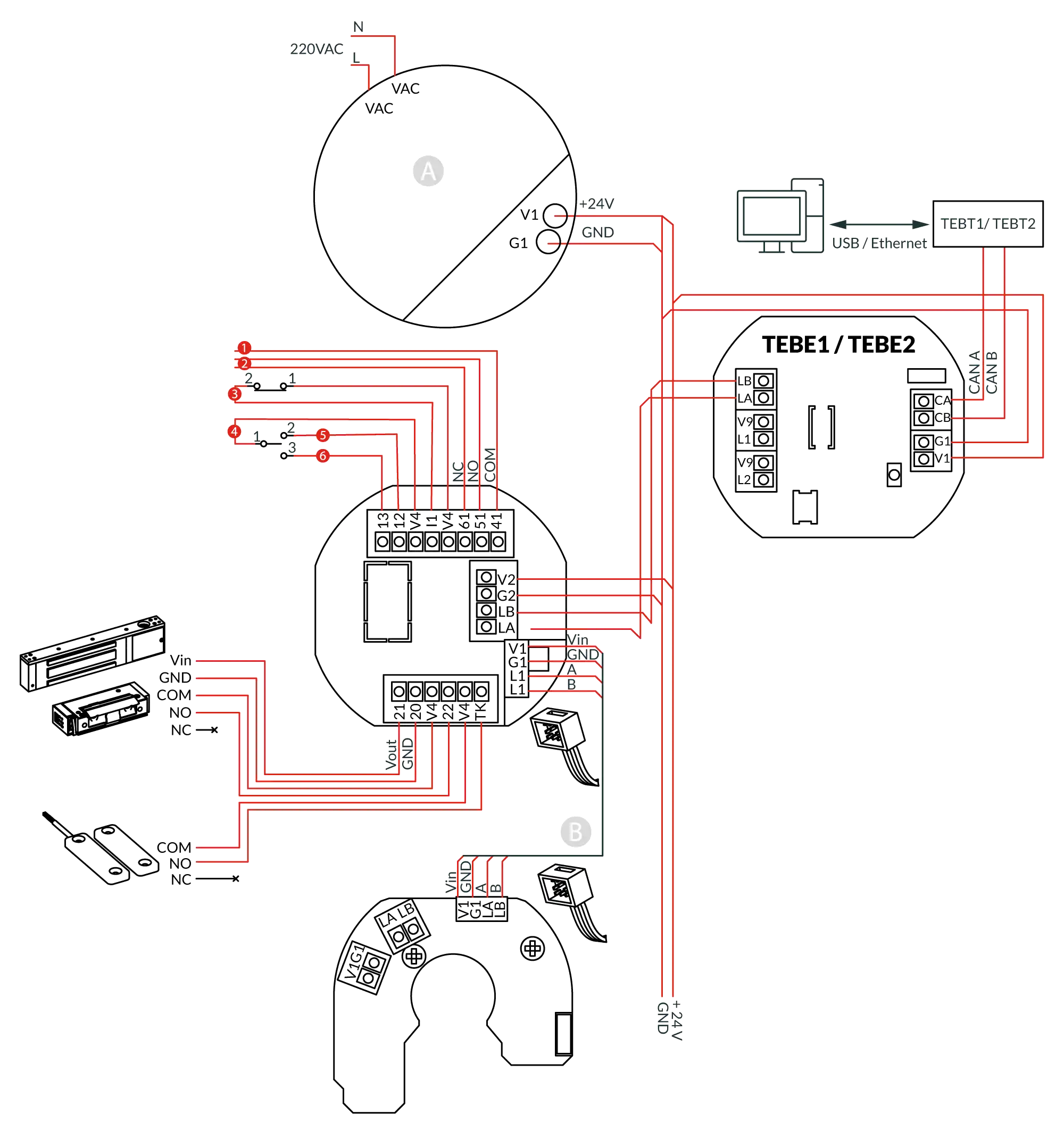
Terminal and Building Bus Couplers
Top- APower supply
- BDoor bus
- 1Terminal status
- 2Configurable signal
- 3Emergency unlocking (fire alarm panel)
- 4External key switch
- 5Unlocking
- 6Locking
| Code | Description |
|---|---|
| TEBE1 | Terminal Bus Coupler BK10 surface-mounted |
| TEBE2 | Terminal Bus Coupler BK10 flush-mounted |
| TEBT1 | Building Bus Coupler CU10 USB connection |
| TEBT2 | Building Bus Coupler CE10 Ethernet connection |
Control panel
Top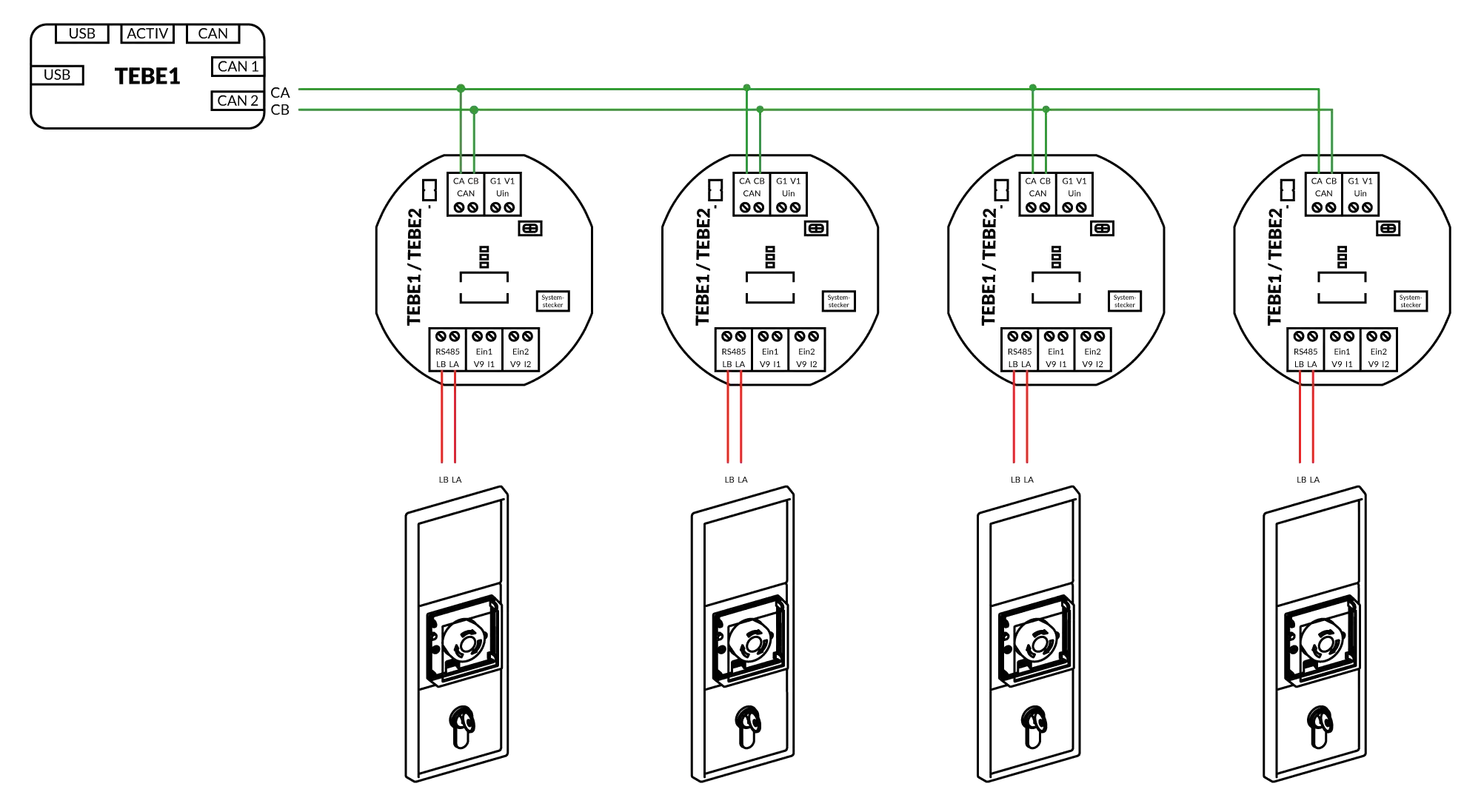
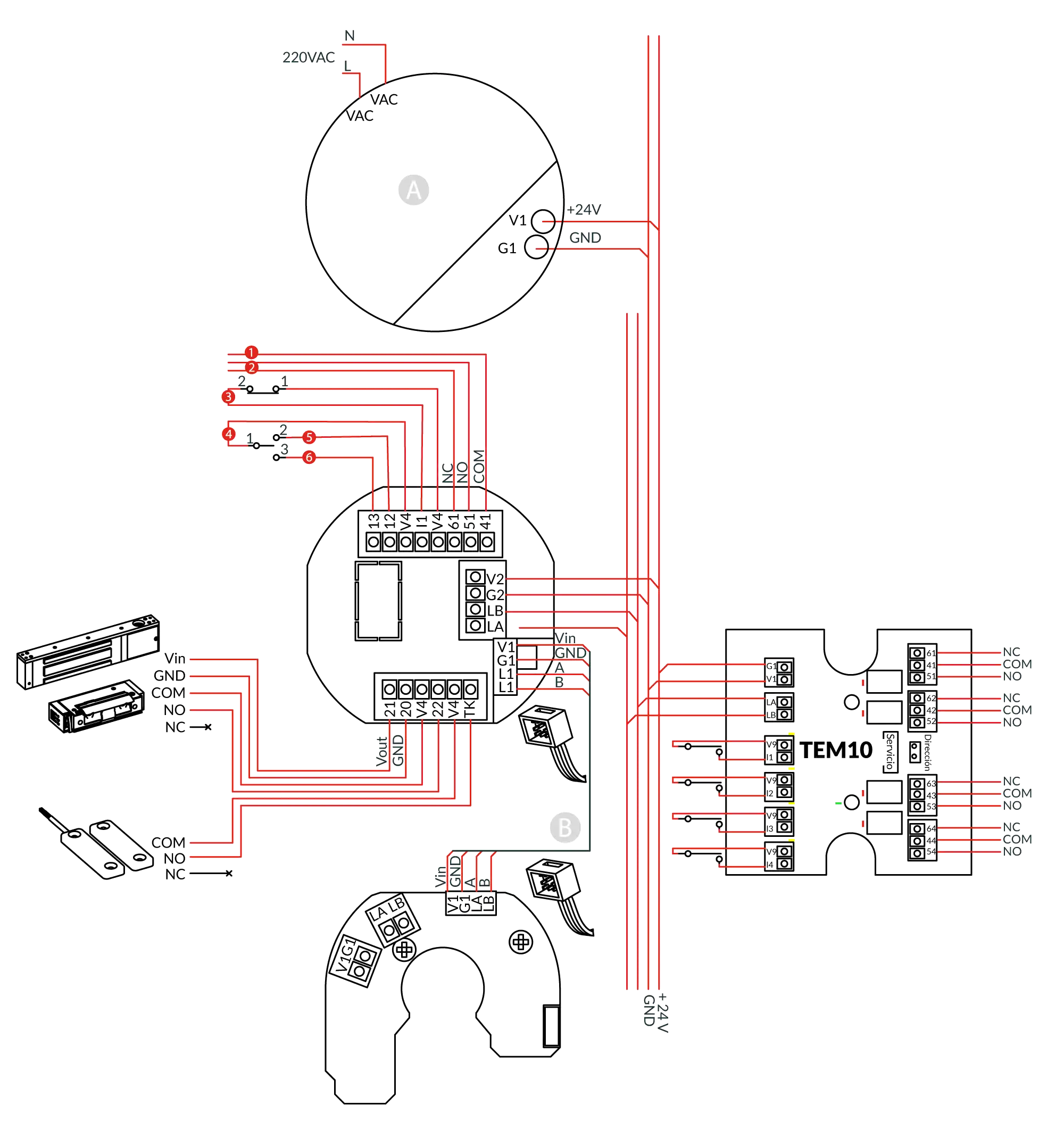
Input/Output Module
Top- APower supply
- BDoor bus
- 1Terminal status
- 2Configurable signal
- 3Emergency unlocking (fire alarm panel)
- 4External key switch
- 5Unlocking
- 6Locking
User Guide
TopContact Technical Support
Can't find what you're looking for? Our technical support team can help.
Get Help